Emacs: refinements to the Denote file prompt
As part of the current development cycle of Denote, I am refining the file prompt. It now has the following:
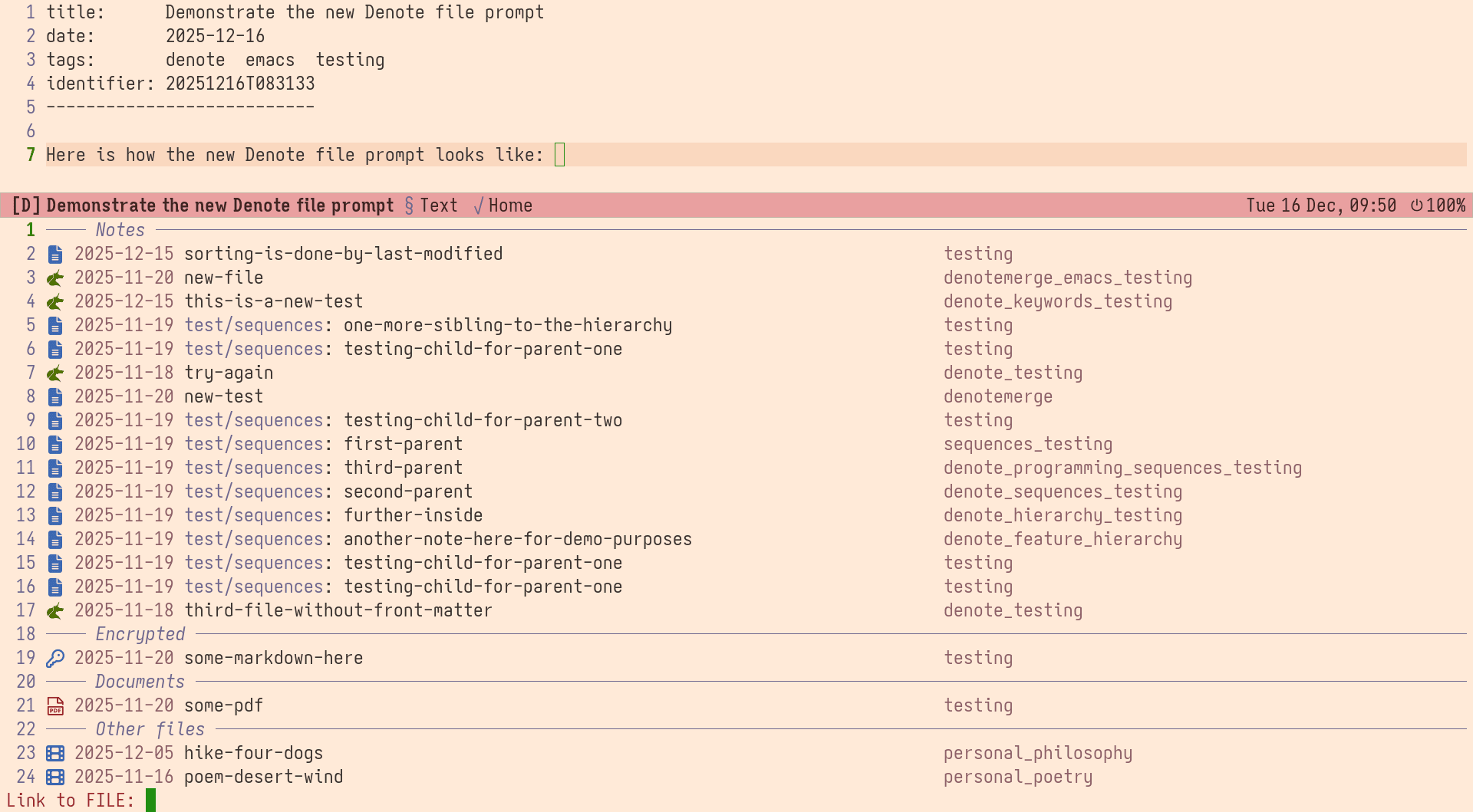
- Sorting: Files are sorted by last modified.
- Grouping: Files are organised by type (remember that the Denote file-naming scheme can be applied to any file—I do so for videos, pictures, PDFs, …).
- Affixating: Files have their date identifier as a prefix and their keywords as a suffix.
The file prompt is used when linking to a file, like with the
denote-link command, or when calling the command
denote-open-or-create (and related).
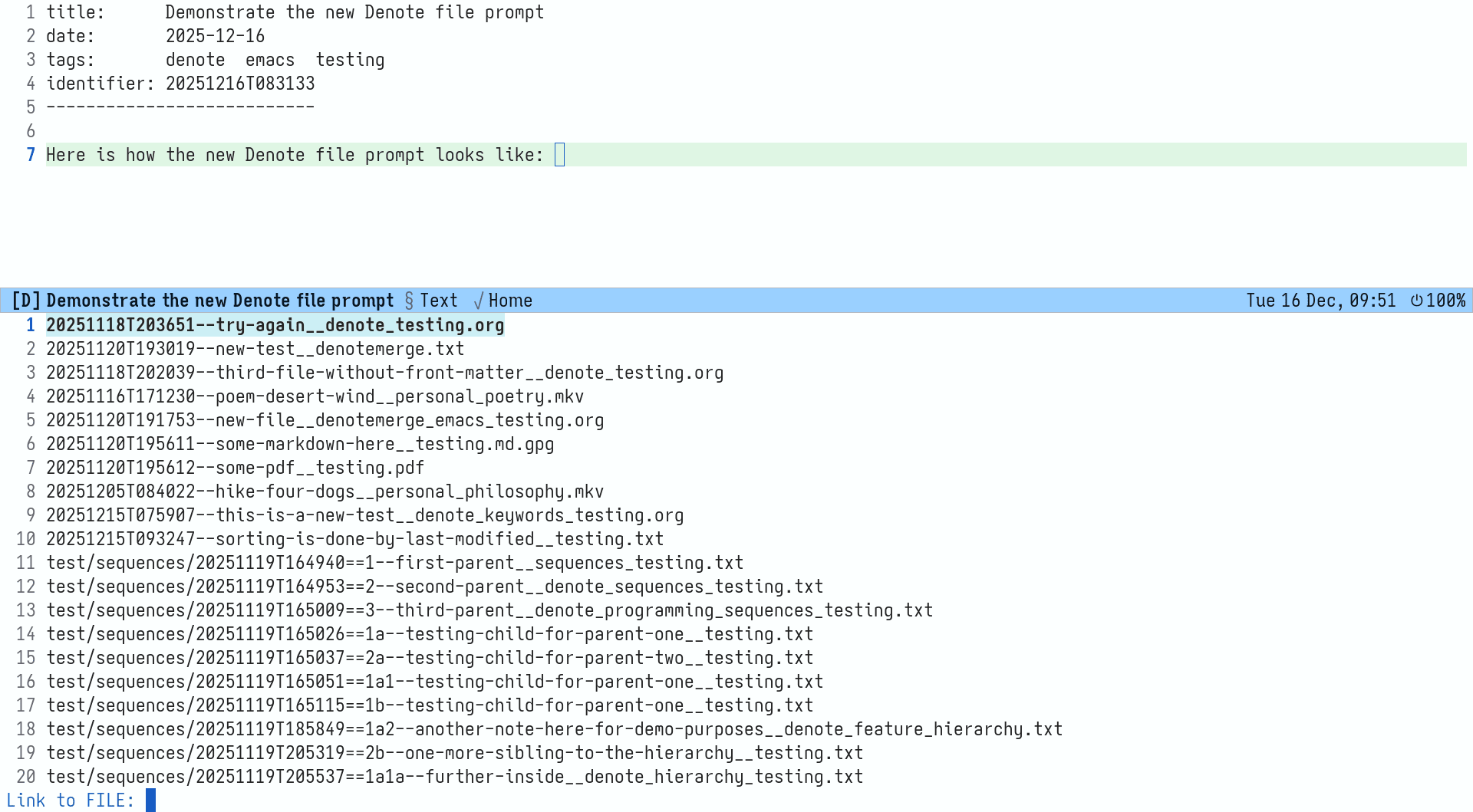
The old style
File names were presented as relative paths without further
modifications. This style relies on the Denote file-naming scheme to
narrow down the list by typing. For example 202512 finds all files
with that in their identifier (i.e. their creation date by default),
_emacs finds all files with the given keyword, and -word with that
word in their title.
The new style
The file names are still the same behind the scenes, but their data is
presented in a more readable way. There is no loss of functionality,
meaning that users can still match _keyword, -title, and the like,
per the Denote file-naming scheme.
Part of development
I might make further changes, though the idea is clear. Expect to get
similar features in my other packages, such as consult-denote,
denote-sequence, denote-journal.
For the denote-sequence package, in particular, the file prompt it
uses shows sequences instead of identifiers as the prefix of each
file. This is because that prompt is relevant for tasks where the user
needs to know the exact sequence, such as when they create a note that
is the child of another.
Power users can study the functions stored in the variable
denote-file-prompt-extra-metadata (same idea for the
denote-sequence package: denote-sequence-file-prompt-extra-metadata).
About Denote
Denote is a simple note-taking tool for Emacs. It is based on the idea that notes should follow a predictable and descriptive file-naming scheme. The file name must offer a clear indication of what the note is about, without reference to any other metadata. Denote basically streamlines the creation of such files while providing facilities to link between them.
Denote’s file-naming scheme is not limited to “notes”. It can be used for all types of file, including those that are not editable in Emacs, such as videos. Naming files in a consistent way makes their filtering and retrieval considerably easier. Denote provides relevant facilities to rename files, regardless of file type.
- Package name (GNU ELPA):
denote - Official manual: https://protesilaos.com/emacs/denote
- Change log: https://protesilaos.com/emacs/denote-changelog
- Git repositories:
- Video demo: https://protesilaos.com/codelog/2022-06-18-denote-demo/
- Backronyms: Denote Everything Neatly; Omit The Excesses. Don’t Ever Note Only The Epiphenomenal.